













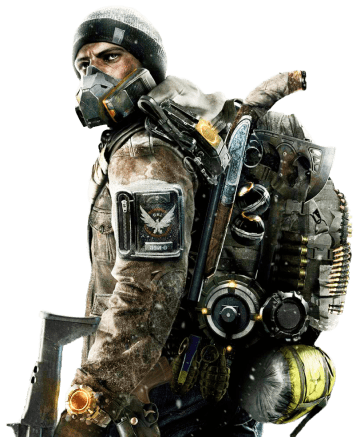
Crafting the perfect build for the NinjaBike Messenger Backpack in The Division 2 can be challenging, but with the right service, you can easily acquire the best gear and setups. Whether you’re focusing on PvE or PvP, these boosting sites offer fast order completion and guaranteed access to the gear needed for your ideal build.
Service Description
These services provide professional assistance in crafting hybrid builds that leverage the NinjaBike Messenger Backpack, one of the game’s most versatile exotic items. The process includes farming the necessary items and assembling complete builds tailored to your playstyle, all done by experienced players. The service is available on all platforms, including PC, PS, and Xbox, and is provided in piloted mode, where the professionals do the work while you enjoy the rewards.
Build Variants
Here are some popular NinjaBike Messenger Backpack builds available:
- NinjaBike Striker Spotter Build: Focuses on DPS and critical hits, combining Striker’s gear with spotter perks.
- NinjaBike Heartbreaker Build: Ideal for high survivability with massive damage output in close-quarter combat.
- NinjaBike Striker’s Fury Build: A perfect blend of offense and defense, combining Striker and Fury gear.
- NinjaBike Legendary Skill Build: Maximizes skill efficiency and damage, ideal for tough legendary content.
Completion Speed
The standard completion time for most services is 1-2 days, but if you need faster results, you can opt for Express or Super Express options for quicker delivery.
What You’ll Get
Once the service is completed, you’ll receive:
- A fully optimized build with weapons, gear attributes, and mods tailored to your playstyle.
- The NinjaBike Messenger Backpack with its associated talent, offering versatility for hybrid builds.
Additional Loot:
During the farming and build process, you will also acquire valuable items such as:
- Exotic Gear: Rare and powerful items that can further enhance your build or be used for future setups.
- High-End Gear: Top-tier equipment with optimized stats, perfect for fine-tuning your character’s performance in both PvE and PvP.
- Gear Set Pieces: Specialized gear from sets like Striker or Heartbreaker, useful for completing builds or creating new ones.
- Mods and Attachments: High-level mods that improve weapon handling, critical hit chance, or skill efficiency, allowing for further customization of your loadout.
- Resources: Materials like SHD tech and crafting components, which can be used for future upgrades and recalibration of your gear.
- XP and SHD Levels: Progress towards your SHD levels and Season Pass, unlocking rewards and leveling up your character.
Requirements
- A The Division 2 account.
- A level 40 character.
Remember, we do not provide these services directly but review the sites that do. Explore these trusted platforms to find the best services tailored for your Division 2 experience.
Best Sites To Get Division 2 NinjaBike Messenger Bag
We have selected and reviewed the best sites offering Division 2 NinjaBike Messenger Bag boosting services. Please note that we do not provide these services directly, but you can read detailed reviews on our site to help you choose a reliable boosting platform. These sites provide a variety of services, including exotic gear farming, level boosting, and mission completions.
Popular options like SkyCoach and LFCarry offer safe, fast, and professional services to help players obtain rare gear like the NinjaBike Messenger Bag, as well as other highly sought-after items such as the Lady Death Exotic SMG and The Ravenous Exotic Rifle. Whether you need to a Root Of Nightmares carry or obtain a D2 raid boost, these platforms cater to every Division 2 player’s needs.
If you’re interested in a discount, you can use the promo code “BOOSTERS” at checkout on these websites. This exclusive offer ensures you save money while benefiting from professional and secure boosting services. Check out the full reviews on our site before making your decision!
How We Rank the Boosting Websites for NinjaBike Backpack
To help you find the best sites for obtaining the NinjaBike Messenger Bag in The Division 2, we thoroughly evaluate each platform based on the following criteria:
- Safety: We ensure that sites use secure transaction methods such as VPNs, SSL encryption, and account protection practices to safeguard your personal information during the boosting service.
- Pricing: We assess the pricing structures to ensure they are fair, competitive, and transparent, with no hidden fees. This allows you to get the best value for the service you’re purchasing.
- Delivery Speed: Timely completion is key when boosting for a rare item like the NinjaBike Messenger Bag. We prioritize platforms that offer quick and reliable service, with options for express or super express delivery if needed.
- Service Variety: We look for websites that offer a variety of related services, such as boosting for other exotic gear, full build setups, and farming runs. This flexibility allows you to get more from a single provider.
- Customer Support: Round-the-clock customer service is crucial for a smooth and hassle-free experience. We ensure that the sites we recommend offer 24/7 support to handle inquiries, updates, or any concerns.
Additionally, we check the platform’s reputation through customer reviews, ensuring that the sites have a track record of positive feedback, professional service, and consistent delivery. By evaluating these factors, we guarantee that you’ll find trusted and reputable sites for your Division 2 boosting needs.